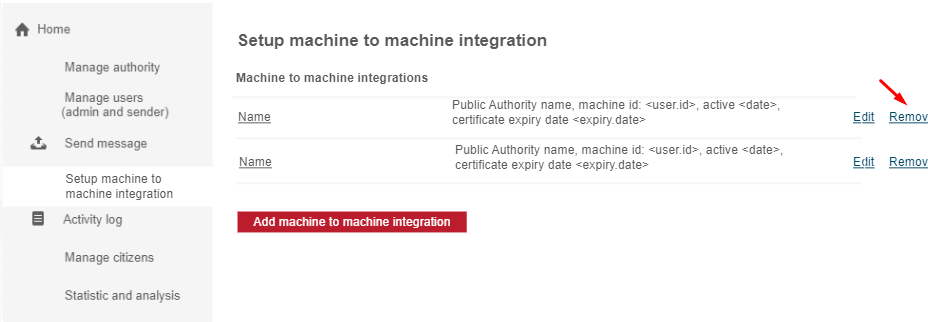
About Machine to machine integration
Machine to machine (m2m) integration allows the company to ask if the receiving end-user want's to receive a message and to send a message by the method setup in the m2m integration. Please note that you need to be on the corresponding organization or sub-organization in order to create, edit and remove m2m integrations.
Any employee with permission to “Setup machine to machine Integration (m2m)” have these permissions:
- Create m2m integration
- Edit m2m integration
- Remove m2m integration
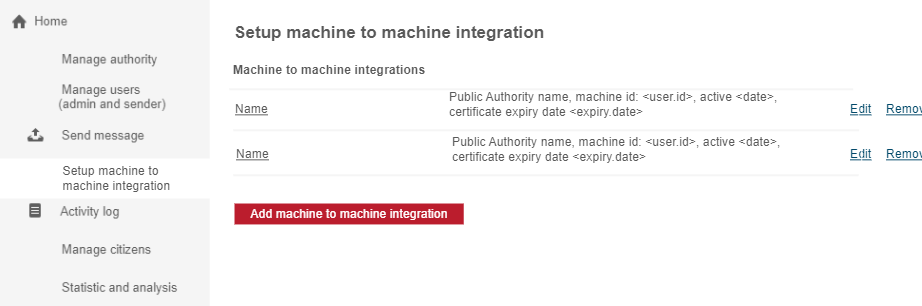
Overview of m2m integrations:
Create m2m integration
To setup a new m2m integration press the button "Add machine to machine integration"
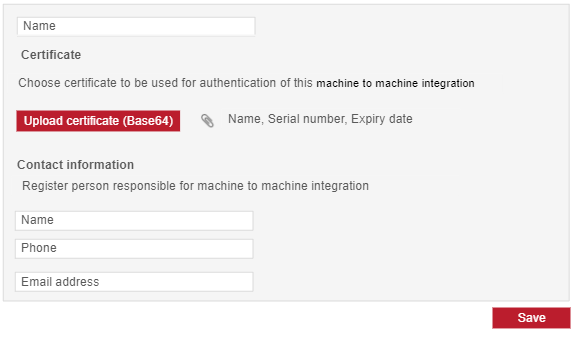
Put in all details (m2m name, contact name, contact phone, contact e-mailaddress) and upload the certificate which you want to use when sending messages. See this article for more information about certificates. Remember to flip the switch to Activate the m2m integration and click Save.
Edit m2m integration
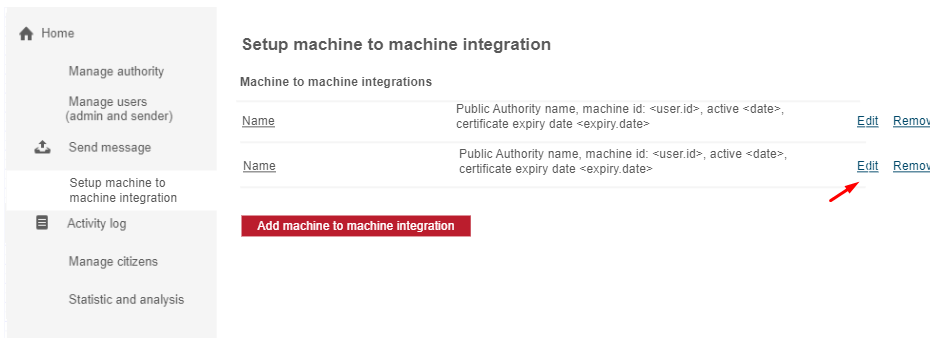
If you need to update some of the information e.g. using another certificate, click on the Edit button next to the m2m integration in the list of m2m integrations. Update the details that needs to be updated and finish by clicking Save.
Remove m2m integration
If you no longer need the m2m integration, you can remove it by clicking the Remove button next to the m2m integration in the list of m2m integrations.