Organisations help control which sender are sending the current document(s). Maybe your organisation has multiple sub-organisation that you want your end-users to see to differentiate them. It's all up to you how you want to setup your organisations and sub-organisations.
In order to create a new Organisation, follow these steps:
- Select an organisation or sub-organisation
- Select Manage organisation
- Click Add organisation
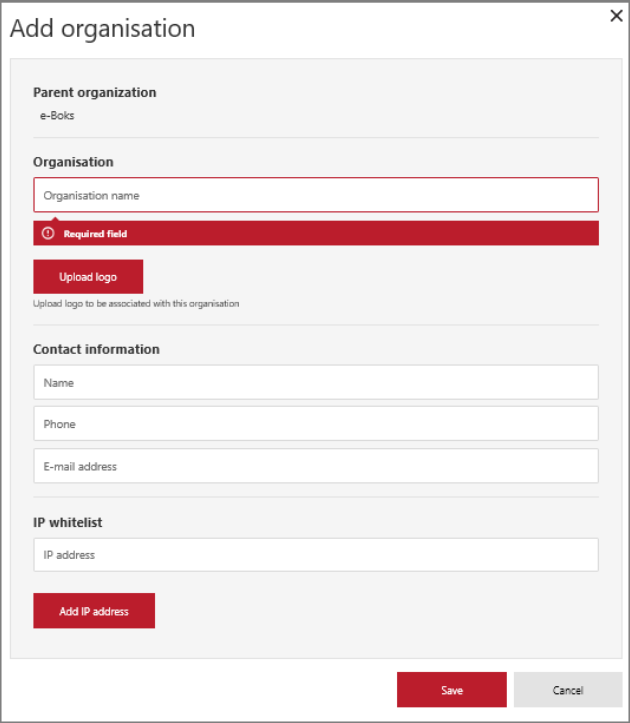
- Enter the name of the organisation
- Upload the logo that identifies the organisation in .jpeg or .png format
- Enter the contact information of the administrator
- Enter the number of messages (quota) that the organisation is allowed to send. Also, set when the qouta automatically resets. Select from the drop-down list:
- No quota - no limit to the number of messages
- Yearly - the quota resets on January 1st
- Monthly - the quota resets on the 1st of the month
- Daily - the quota resets at midnight - Enter at least one IP-address for the IP whitelist
- The IP whitelist enables the employees to connect securely to the organisation
- The entered IP-addresses are considered "a whitelist".
Note: In order to delete an organisation or sub-organisation, please contact e-Boks support