The solution allows employees to generate different reports that provides insights into key performance indicators for the solution.
Only employees who have the right permission have access to this view. See Manage users.
All reports show the development over time. It is possible to look into the monthly development of "Number of messages sent",
"Number of employees" etc. Use the check boxes to select which organisations to get the numbers from.
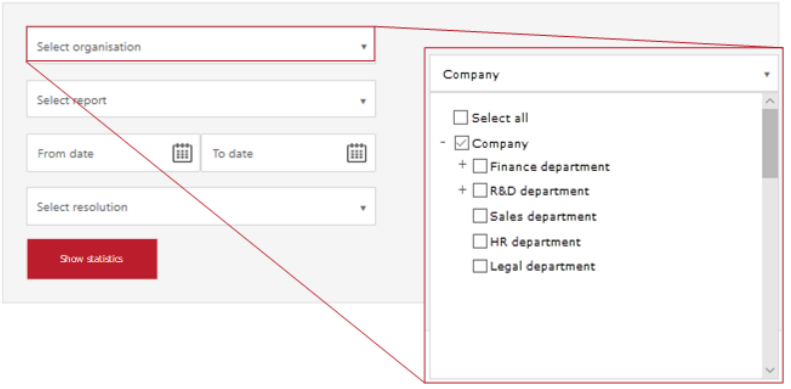
Except from "Select all", it is necessary to individually select every organisationwhose numbers are needed for the report.
| Report | Description |
| Number of messages sent | Number of messages sent, accumulated across selected organisations. A message includes main document and attachments. |
| Number of messages received | Number of messages (successfully) received, across selected organisations. A message includes main document and attachments. |
| Number of notifications sent email | Number of e-mail notifications generated, accumulated across selected organisations. |
| Number of notifications sent SMS | Number of SMS notifications generated, accumulated across selected organisations. |
| Number of senders | Number of active senders, accumulated across selected organisations. |
| Number of citizens | Accumulated number of citizens signed up to the solution. |
| Number of employees | Number of active employees, accumulated across selected organisations. |
| Number of notifications sent email | The report shows the number of notifications sent as emails. |
| Number of notifications sent SMS | The report shows the number of notifications sent as SMS (text messages). |
| Number of system integrations | Number of active machine to machine integrations, accumulated across selected organisations. |
| Number of logins to user portal | Number of logins to user portal. |
| Quota usage (%) | The report shows the Quota usage in percent for the selected organisation(s). |