Employee management provides the ability to manage the account of an employee.
Any employee with Manage employee permission and access to the organisation may change the permissions of an employee.
Follow these steps to create an employee:
- Select an organisation or sub-organisation
- Select Manage employee permissions
- Click Add employee
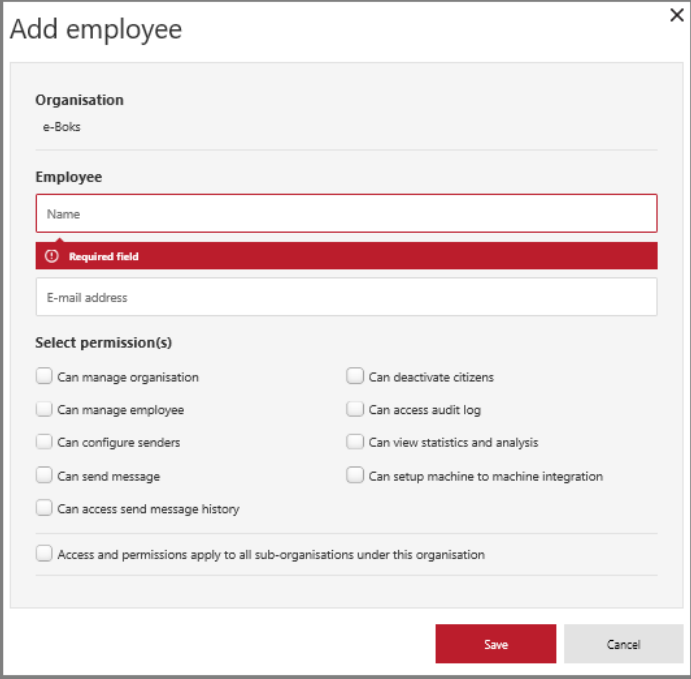
- Enter name and email address (user name) and select the new employee's permissions.
- Click Save to create the employee and get the One-Time Password (OTP).
- An email is automatically sent to the email-address (username) asking the employee to login to the system using the OTP.
- Provide the OTP to the employee using a method of your own making.
- The new employee is shown with User ID, Organisation ID and activation date.
The new employee is now ready to use.